
As agencies scale their creative output, the gap between asset volume and licence documentation grows wider. What worked for a five-person team breaks at fifteen. What you could manage manually becomes impossible at scale. The regulatory landscape shifted in 2025, and 2026 demands that agencies move from reactive compliance to proactive systems, or face audit failures, client disputes, and legal exposure.
TL;DR
- , leading to audit failures and client disputes0%of agencies lack centralized licence tracking across platforms
- Regulatory scrutiny is intensifying; agencies now face direct liability for unlicensed or miscategorized assets used by clients
- Bulk automation, not manual dashboards, is the only way to stay compliant at scale
- Start with a single platform audit; then build a repeatable intake and archival workflow
- Invest in tools that download and organize licence certificates automatically, not dashboards that require manual collection
Why Compliance Matters Now
Compliance isn't a checkbox anymore. It's a business continuity issue. In 2026, agencies face sharper consequences for licence failures than ever before. Clients are asking for proof faster. Legal teams are demanding documentation weeks after a campaign launches. Platforms are tightening enforcement. And regulatory bodies are treating licence compliance as a material risk for service providers, not just end users.
"The year 2026 brings heightened regulatory expectations, making smarter data strategies and technological innovation critical for reducing compliance risks.">, Seven Compliance Trends to Watch in 2026
The reality: most agencies operate with licence proof scattered across multiple seats, platforms, and team members. When a client's legal department asks for documentation, you're hunting invoices, logging into old accounts, downloading PDFs from different platforms, and hoping nothing is missing. That process took three hours last year. In 2026, it needs to take thirty minutes, and it needs to be bulletproof.
Common Mistakes Agencies Make
Relying on Manual Records
Spreadsheets fail. Email chains get deleted. Team members leave. By the time you realize a licence certificate is missing, you've lost the proof you needed. Manual tracking doesn't scale past a handful of projects.
Treating Each Platform Separately
Freepik, Shutterstock, Adobe Stock, Envato, Canva, iStock. Each has its own certificate format, export location, and expiration model. Without a unified system, you're constantly switching contexts and missing patterns. A licence from Freepik that ran out six months ago stays in a folder somewhere while you're still using images from it.
Underestimating Freelancer Risk
Freelancers bring assets into projects using their own stock accounts. The images are licensed to them, not your agency. If they leave, you lose access to proof. You also lose the ability to audit what they used. One junior designer using a non-commercial Canva template on a client's billboard is a legal incident waiting to happen.
Ignoring Extended vs. Standard Licences
Extended licences cost more and unlock more uses (merchandise, resale, large print runs). Standard licences don't. An asset licensed under standard use can't legally go on a billboard or into a product mockup. Mismatches between the licence type and the client's use case are the single most common dispute trigger.
No Audit Trail for Client Projects
You complete a campaign. Six months later, the client gets a takedown notice. You don't know which assets were used, which platform they came from, or what their licences actually allow. The client blames you. You can't prove you did your job.
The 2026 Compliance Shift

Three structural changes are reshaping how agencies must handle stock licences in 2026.
First: Regulatory bodies now view agencies as liable parties. Historically, the stock platform was responsible for licence enforcement. Now, agencies that knowingly or negligently use unlicensed or miscategorized assets face direct liability. This means you can't claim ignorance. You need documented proof that you vetted every asset before it entered a client project.
Second: Clients are contractually demanding licence proof. Larger brands are building compliance clauses into creative services contracts. They want documentation delivered with final assets. If you can't provide it, you lose the contract or eat the cost of re-doing work.
Third: Platforms are sunsetting manual access. Stock platforms are consolidating their export and reporting tools. APIs are changing. The PDF certificate download location you used last year might not exist this year. Agencies that rely on platform dashboards will find themselves locked out or facing surprise changes mid-project.
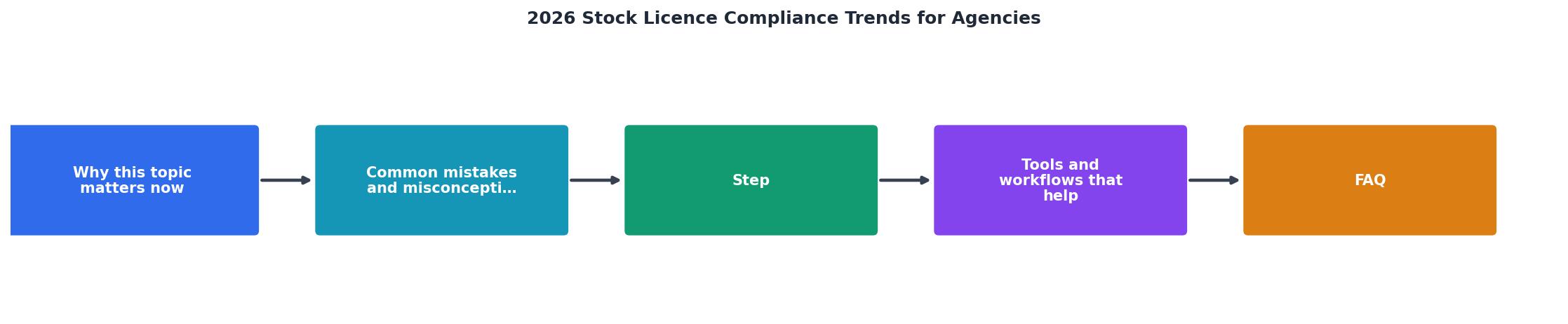
Step-by-Step Compliance Workflow
Here's how to build a compliance system that scales from ten to two hundred projects per year.
Step 1: Audit Your Current State
Before you build anything new, you need to know what you're working with. Pull licence records from every platform your agency uses (or has used in the past two years). For each platform:
- Log in and download all available licence certificates or usage history
- Note the date range covered (some platforms only keep records for 12 months)
- Check for any expired or discontinued subscriptions (these create gaps)
- Identify which team members had access and when
Step 2: Define Asset Intake Standards
Create a checklist for every asset that enters a project. Before a designer hands off a final file to you, they must confirm:
- Asset source (platform name)
- Licence type (standard, extended, commercial, editorial)
- Expiration date (if applicable)
- Permitted uses (print, web, merchandise, modification rights)
- Who licensed it (team member or freelancer name)
Step 3: Centralize Certificate Storage
Pick one location (cloud storage, document management system, or your asset management tool) where all licence certificates live. Organize by project, not by platform. Make it searchable. When a client or legal department asks for proof in six months, you need to find everything for Project X in under a minute.
Step 4: Automate Certificate Download
Manual download is the bottleneck. You'll skip it under pressure, and then you'll lose proof. Use tools that batch-download licence certificates from platforms automatically. They pull data from Freepik, Shutterstock, Adobe Stock, and others, then organize it for you. This turns a two-hour weekly task into a scheduled background process.
Step 5: Build a Project Archive
For each client project, create a record that includes:
- Project name and dates
- All assets used (filename, source, platform)
- Corresponding licence certificate (linked or attached)
- Client approval sign-off
- Any special licence conditions (extended use, modification rights)
Step 6: Quarterly Compliance Check
Every three months, run a compliance audit. Spot-check five random projects. Verify that every asset has a matching certificate. Check for expired licences. Look for assets used after their licence end date. Flag mismatches between licence type and use case. Fix gaps immediately.
Tools and Workflows That Work

The best compliance setup combines three layers: intake discipline, automation, and review.
Intake layer: A simple form or checklist that designers fill out before handing off assets. This can live in your project management tool (Asana, Monday, Linear) or a shared document. Make it mandatory. Make it easy. Make it part of your handoff process, not an optional extra.
Automation layer: Tools that pull licence data directly from stock platforms. Rather than having someone log into Freepik every Friday and manually download certificates, a tool does it automatically and stores them in your central archive. Licence Downloader, for example, bulk-downloads certificates from multiple platforms and organizes them by project. This removes the human bottleneck and guarantees you never miss a certificate.
Review layer: A quarterly audit process where someone spot-checks projects. This catches gaps in intake discipline and flags edge cases before they become problems. Don't skip this even when busy.
Handling Freelancers and Contractors
Freelancers are the biggest blind spot in most agency compliance systems. They bring images licensed to their own accounts. You have no visibility into what they used or where it came from.
Fix this:
- Require freelancers to provide licence proof. Before you accept final files, they must deliver a list of every stock asset used plus the corresponding certificate. Make it a contract requirement.
- Audit their sources. Check that their stock subscriptions and usage rights align with your client's needs. If a freelancer used a Canva free template on a commercial project, that's a problem you catch before it becomes a client issue.
- Centralize their records. Store freelancer licence proof in the same system as internal assets. Don't create a separate archive that gets forgotten.
- Offboarding checklist. When a freelancer leaves, collect all licence records and certificates they generated. Store them in your project archives so you can serve future audit requests.
Custom Dashboard: 2026 Compliance Status
Understanding your agency's compliance posture at a glance helps you spot gaps before audits do. This dashboard shows a typical mid-sized agency's licence status across major platforms and projects.
Licence Certificate Status, Q1 2026
This dashboard shows a typical agency's compliance baseline. Most major platforms have good records, but gaps exist. iStock records are missing entirely (flagged for remediation). Freepik and Envato are only partially archived. The dashboard tells you exactly where to focus your cleanup effort. By quarter end, all platforms should show green.
Key Takeaway
Compliance in 2026 isn't about having perfect records from day one. It's about building a system that captures proof automatically, makes it searchable, and keeps it accessible for audit or client requests. Agencies that move from manual tracking to automated workflows will win more contracts and avoid costly disputes. Agencies that don't will eventually face a client that demands proof and a legal team that doesn't accept "we lost those records."
Implementation Checklist
2026 Compliance Setup Checklist
Your progress is saved automatically in your browser.

FAQ
Frequently Asked Questions
The shift is happening now. Agencies that prioritize compliance in early 2026 will establish themselves as trustworthy partners and avoid the audit failures that plague their competitors. The tools exist. The process is proven. The only blocker is execution. Start your audit this month, and by summer you'll have a system that serves clients faster and protects your business from the compliance failures that surprise most agencies.
Additional Resources
- Top 10 Risk & Compliance Trends for 2026 - 2026 will redefine global compliance. Political realignments, rapid AI adoption, workforce pressures and expanding international regulations create new ...
- Seven Compliance Trends to Watch in 2026 - The year 2026 brings heightened regulatory expectations, making smarter data strategies and technological innovation critical for reducing compliance risks.
- 7 Compliance Trends for 2026: What You Need to Know - 1. Sanctions complexity keeps rising Regulators now expect companies to assess risk far beyond direct relationships – deep 3. Agility becomes ...