
An audit notice landed in your inbox. You have 48 hours to prove every image your team used was properly licensed. Your stomach drops because you know your team sourced images from five different stock platforms, three freelancers, and a handful of bulk downloads from years ago. The licences are scattered across emails, invoices, and platform dashboards no one else has access to. This is your roadmap to survive it.
Photo by Micheile Henderson from Pexels
TL;DR:- An audit requires you to prove ownership and licensing rights for every asset used in client work.
- You have 48 hours to gather licences from multiple platforms, track down freelancer approvals, and organize everything into an audit-ready package.
- Start by listing all assets and their sources, then systematically download licence certificates from each platform, collect freelancer documentation, and build a master audit file.
- Gaps in your records matter less than showing you acted in good faith and have a system in place now.
Why audits happen now
Stock platforms and copyright holders have become aggressive about audit requests. An agency working on brand work, social campaigns, or e-commerce content uses dozens of assets monthly. A client, competitor, or copyright holder disputes whether one image was properly licensed. The platform responds with an audit request. You're asked to prove every asset in a portfolio, campaign, or project was either licensed, created in-house, or used with proper consent.
The stakes are real. Missing documentation opens your agency to claims of infringement, which can result in fines, takedowns, and damage to client relationships. Having your records ready transforms an audit from a legal threat into a routine compliance exercise.
Common mistakes that sink audits
Most agencies make the same errors when audit time arrives:
- Assuming invoices are enough. An invoice proving you bought a licence and a certificate proving the specific asset was licensed are not the same thing. Platforms track these separately.
- Not collecting freelancer records upfront. If a freelancer sourced images, their licence agreements matter as much as yours. By the time you audit, they may be unresponsive or gone.
- Mixing personal and commercial licences. A Canva Free account allows personal use only. If you used Canva Free images on a client's commercial campaign, that's a licensing violation, no audit will fix it.
- Losing track of extended licences. Some assets use extended licences (higher tiers that allow resale, redistribution, or modification). If you can't prove you held the right tier when you used the image, you lose that protection.
- Waiting until the audit to start looking. If you discover gaps 48 hours before the deadline, you cannot fix them. You can only document what you have.
The 48-hour audit prep playbook
Your job now is to build a complete, organized record. Follow this sequence without skipping steps.
Hour 1–4: Map everything

Start by making a complete list of every asset in question. The audit request should specify which project, campaign, or asset portfolio is under review. Gather:
- All files used in the project (PDFs, PNGs, social posts, web assets)
- The URLs or filenames of images
- The dates they were used
- Which team member used them
- Where they came from (Shutterstock, Freepik, Canva, internal creation, freelancer, etc.)
This is tedious, but it forces you to see the full picture. You'll quickly spot which platforms hold most of your images and which assets you don't remember licensing at all.
Hour 5–12: Download from platforms
Log into each stock platform your agency uses and download licence certificates and proof of purchase. Most platforms bury this under Account > Licences or Download History.
Freepik: Go to Account > Download History. Download your history as a CSV. Then navigate to each specific image and screenshot or download the licence certificate if available.
Shutterstock: Access Account > Licenses. Download a license report that shows all images you've licensed and the dates. Screenshot the licence terms for key images.
Adobe Stock: Go to Account > Your Files > Licensed Compositions. Export the list and download licence PDFs where available.
Envato Elements: Account > Licenses. Download your full licence history.
iStock: Account > Manage my Photos > Licenses. Export a list and gather screenshots of individual licence terms.
Canva: If you used Canva, note your plan tier at the time of use (Free, Pro, Teams, or Enterprise). Canva Free does not permit commercial use. Canva Pro and Teams do. This matters enormously.
Save all downloads and screenshots to a single folder with clear filenames: Shutterstock_License_Report_[Date], Freepik_History_[Date], etc.
Hour 13–24: Collect freelancer records
Any freelancer who sourced images for your agency must provide their own licence proof. Call, email, or message them immediately. Send them this message:
"Hi [Freelancer], we're in an audit and need to verify that images you provided for [Project Name] were properly licensed. Can you send us within 24 hours: (1) A list of which stock platform each image came from, (2) Your invoices or receipts from that platform, (3) Licence certificates or proof of purchase for each image. If you used assets from your own library, we also need confirmation that those assets don't contain stock images or that you own the rights to them."
Freelancers who drag their feet or disappear are a red flag in an audit. Document the request and their response (or lack thereof). If they don't respond, note it and move on, you've done your due diligence.

Hour 25–36: Audit your internal systems
Check your email archive for:
- Invoice confirmations from stock platforms
- Receipts or payment confirmations
- Any email chains discussing which assets were approved
- Sign-offs from clients on final deliverables
- Internal notes about licensing decisions
Also check:
- Shared drives for any licence documents your team may have stored
- Cloud folders (Google Drive, Dropbox, OneDrive) for assets or notes
- Slack or Teams channels where team members discussed images
- Any old contracts or statements of work that specify licensing requirements
Hour 37–47: Build your audit package

Organize everything into a single cohesive audit file. Create a folder structure:
[Project Name] Audit Package
├── 1. Asset List (master spreadsheet with all images, sources, dates, licence status)
├── 2. Platform Downloads
│   ├── Shutterstock_Report
│   ├── Freepik_History
│   ├── Adobe_Stock_Report
│   └── [other platforms]
├── 3. Invoices & Receipts
├── 4. Freelancer Documentation
├── 5. Internal Records (emails, approvals, notes)
└── 6. Cover Letter
In the Cover Letter, write a brief summary for the auditor:
"This package contains complete documentation of licensing for [Project Name]. All images used were sourced from licensed stock platforms (Shutterstock, Freepik, etc.) and are covered under commercial use licences valid as of [date]. Where gaps exist, we have documented our due diligence in sourcing and have implemented new tracking procedures to prevent future gaps. If you have questions about any specific asset, please reference the asset list and corresponding platform documentation."
This tone is calm, professional, and honest. You're not defensive; you're cooperative.
Hour 48: Final review and delivery
Before submitting, go through your master asset list one more time:
- Do all file names match the images in the audit request?
- Is every asset accounted for (either with licence proof or honestly marked as "missing")?
- Are your platform reports legible and complete?
- Is your freelancer documentation clearly labeled?
- Does your cover letter honestly reflect what you have?
Auditors respect honesty and completeness. They do not respect guesswork or missing gaps you've tried to hide.
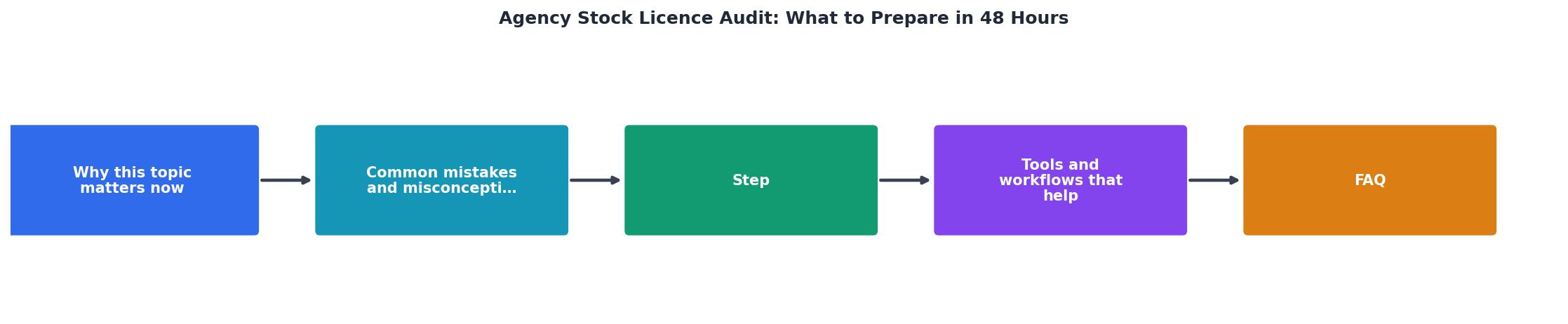
Your 48-Hour Timeline
Tools and workflows that help
Speed matters in an audit. Tools can save hours:
- Spreadsheet templates. Pre-build your asset list template so you're not designing it under pressure. Use Google Sheets or Excel with columns for asset name, source, date, uploader, licence type, and status.
- Cloud storage. Put your entire audit package in a shared cloud folder (Google Drive, Dropbox). This lets multiple team members contribute simultaneously and makes handing it off to your legal team or auditor seamless.
- Screenshot tools. Greenshot or Snagit let you grab and annotate platform screenshots quickly. Label each one with the platform, date, and the asset it refers to.
- Email archive tools. If you use Gmail, the advanced search (
in:sent from:team@agency.com subject:licence) finds relevant emails in seconds. Outlook has a similar search. - Licence Downloader. If your team uses stock images frequently, tools that bulk-download licence certificates and proof of purchase from multiple platforms at once eliminate the manual platform-by-platform grind. This is especially useful if you're managing audit prep across multiple projects or team members.
What happens when documentation is incomplete
You will likely find gaps. Some images may have no licence record. Some freelancers may not respond. This is not a disaster.
"Most private companies and nonprofits don't need a Public Company Accounting Oversight Board (PCAOB) audit.">, How to Prepare for an Audit: Audit Readiness Checklist
Auditors understand that perfect records don't always exist, especially in small or growing agencies. What they want to see is:
- Evidence of good-faith effort to use licenced assets
- A system or process, even if imperfect
- Honest acknowledgment of gaps
- A plan to do better going forward
Auditors rarely penalize you for missing a single licence certificate if everything else demonstrates due diligence. What sinks agencies is obvious negligence or deception.
After the audit: Build a system
Once you've survived your audit, implement a system so this never happens again.
- Assign one person to licence management. They download invoices and certificates monthly, not yearly.
- Create a shared licence library. Every image the agency uses gets tagged with its source platform, licence date, and licence tier in a single searchable database or shared folder.
- Require freelancers to provide licence proof upfront. Make it a line item in your contract: "Freelancer will provide licence proof for all assets delivered."
- Automate what you can. Use tools that export licence data directly from platforms into a spreadsheet or central store. This cuts manual work to near zero.
- Audit your own records quarterly. Spend an hour every three months spot-checking assets against your system. Catch gaps before an outside audit does.
Your 48-Hour Audit Prep Checklist
Your progress is saved automatically in your browser.
FAQ
Frequently Asked Questions
An audit is stressful, but it's survivable. You have the information you need; it's just scattered. Your job in the next 48 hours is to gather it, organize it, and present it clearly. Move methodically through the steps, collect what you can, be honest about what's missing, and deliver a package that shows you take licensing seriously. Most audits close without issue when approached this way. The ones that blow up are usually the ones where someone tried to hide gaps or delivered a disorganized mess. Don't be that agency.
Additional Resources
- How to Prepare for an Audit: Audit Readiness Checklist - Respond to your auditor's requests within 48 hours to keep your audit going smoothly and have it closed quickly. Your quick responses can turn ...
- Retail Compliance Audit: How to Run One (Complete Guide ... - Tie audits to coaching cycles. Findings must flow to the field leadership chain within 48 hours of audit. Otherwise audits become reports nobody ...
- NEMT Audit Preparation Guide 2026: Complete Compliance ... - What to Do When You Receive an Audit Notice. Immediate Response Protocol (First 48 Hours); Audit Response Team Composition; Document Gathering ...