

Photo by wal_ 172619 from Pexels
When your marketing team uses stock images across campaigns, client work, and digital channels, losing track of which images are licensed, and proof that they are, creates legal exposure and operational chaos. Enterprise teams juggle multiple iStock accounts, team members, budgets, and projects, making it nearly impossible to know whether that hero image in last month's campaign has proper licensing documentation. Without centralized licence records, you're one copyright claim away from project delays, client disputes, and brand damage.
This guide walks you through why iStock licence records matter for enterprise teams, what goes wrong when they're mismanaged, and exactly how to build a process that keeps your team protected and compliant.
TL;DR
- iStock licence records are proof that images used in marketing, campaigns, and client work are legally licensed and available for commercial use.
- Enterprise teams need centralized, searchable licence archives because scattered records across accounts, platforms, and people create legal and operational risk.
- The fastest way to manage iStock records at scale is to automate bulk downloads of licence certificates and build a single searchable archive your team can access instantly.
- Without proper licence records, you face client disputes, audit failures, copyright claims, and lost productivity hunting for paperwork when legal questions arise.
Why this matters now:
The Hidden Cost of Lost Licence Proof

iStock licence records exist to protect you. When you buy an image on iStock, you receive a licence agreement that specifies exactly what you can do with it, commercial use, reproduction limits, attribution requirements, and more. The licence certificate is proof you bought that permission.
Here's where teams go wrong:
- Scattered accounts: Five team members have iStock logins. Each downloads images. No one knows what's where.
- No archive: When campaigns launch and archive, licence records stay buried in old iStock account emails or invoices.
- Manual tracking: Someone manually tracks URLs, file names, and purchase dates in a spreadsheet that nobody updates consistently.
- Audit panic: Client or legal team asks for proof you own the rights to every image used in a project. You spend three days digging through old account pages, invoices, and team emails.
- Missing downloads: Team members forget to download and store licence certificates at purchase time. When you need proof months later, the iStock account page has moved or the record is no longer easily accessible.
What Goes Wrong Without Proper Records
Managing iStock licences manually creates predictable failures:
Compliance gaps: When a client or partner audits your work and asks for proof of licensing, you're hunting through old emails, account dashboards, and team Slack messages. You might find the invoice but not the licence certificate. You might find a purchase date but not the licence terms. You waste hours and look disorganized.
Team turnover: A designer leaves and takes institutional knowledge with them. You don't know which images they licensed, which projects used them, or where the proof lives. New team members re-buy images that are already in the inventory, wasting budget.
Dispute defensibility: If a copyright holder claims you didn't have rights to an image, your defence is "we think we bought it on iStock." Without a dated licence certificate in your records, you're exposed. Courts and platforms want documentation, not recollection.
Scaling chaos: As your team grows and output increases, manual tracking becomes impossible. You move from "one person knows where everything is" to "nobody knows anything."
A Step-by-Step Approach to iStock Licence Management
Step 1: Audit Your Current State
Before building a new system, understand what you already have:
- List all iStock accounts your team uses (marketing, design, freelancers, vendors).
- Check each account for purchased images, download history, and licence records.
- Collect invoices and emails that show purchase dates and licence terms.
- Interview key team members about where they store images and how they track usage.
- Document any existing process (spreadsheets, folders, naming conventions) so you don't break what's already working.
Step 2: Centralize Access and Downloads

The core problem is that iStock licence certificates live scattered across multiple account dashboards. To solve this:
Consolidate purchasing: If possible, move all iStock purchases through one or two managed accounts rather than individual team members buying independently. This centralizes billing, usage tracking, and licence records. If your team is large, create a tier system: one admin account for bulk purchases, and individual seats for specific team members or departments.
Download certificates systematically: Every time an image is licensed and purchased, immediately download the licence certificate from iStock. Don't wait. Store it with a consistent naming convention: iStock_[ImageID]_[ProjectName]_[DatePurchased].pdf. This takes 30 seconds per image and saves hours later.
Create a central repository: Use a shared drive (Google Drive, OneDrive, Dropbox, or a company server) with a clear folder structure:
/Licences
  /iStock
    /2024
      /Project_Client_Name
        licence_[ImageID].pdf
        licence_[ImageID].pdf
    /2025
      /Project_Client_Name
        licence_[ImageID].pdf
This structure lets anyone quickly find the licence for an image used in a specific project or year.
Step 3: Set Up Automatic Tracking
Make it hard for team members to forget:
- Checklist in project kickoff: Every new project includes a step: "Licence all images and store certificates in shared repository."
- Download reminder in your design template: Add a note to your design brief that says "Remember to download and store all iStock licence certificates."
- Approval gate: Before a campaign launches, require a sign-off that includes proof all images have stored licence records.
- Monthly audit: Once a month, spot-check that new images purchased have certificates in the repository.
Step 4: Document Licence Terms and Restrictions
Each iStock licence has terms. Store a simple spreadsheet or database that logs:
- Image ID (unique iStock identifier)
- Project(s) it was used in
- Purchase date and account that bought it
- Licence type (standard, extended, editorial-only, etc.)
- Commercial use allowed? (yes/no)
- Attribution required? (yes/no)
- Derivative works allowed? (yes/no)
- Certificate stored at: (file path or link)
Tools and Workflows That Help
The iStock Licence Records Process
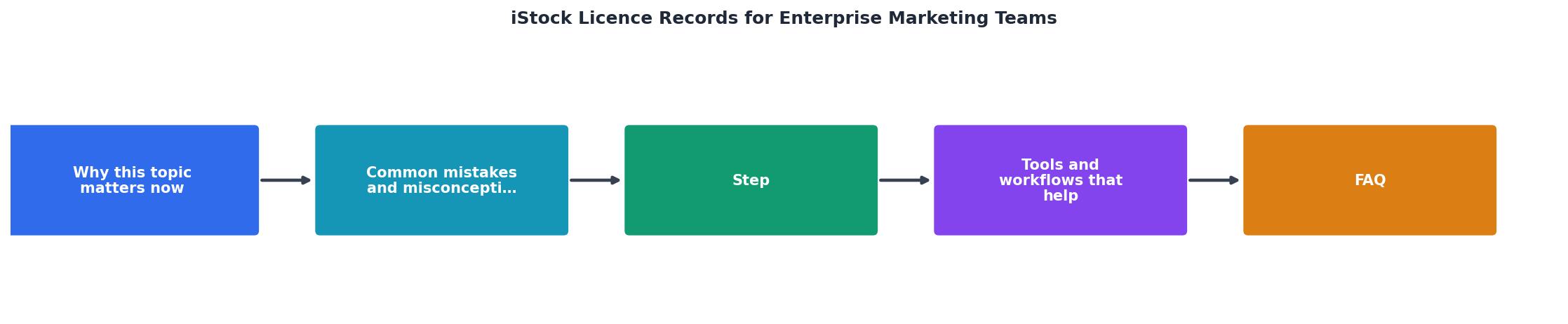
The workflow is straightforward:
- Buy: Team member purchases image on iStock and immediately downloads the licence certificate.
- Name: File is named using consistent convention and tagged with project/date.
- Store: Certificate is moved to the central repository in the appropriate project folder.
- Log: A one-line entry is added to the tracking spreadsheet (image ID, project, licence type, terms).
- Use: The image is used in the campaign or project. The certificate link is available to anyone who needs proof.
- Archive: When the project completes, the licence folder is moved to a completed-projects archive for long-term reference.
Automation Tools
Licence Downloader (licencedownloader.com) automates this workflow for teams. Instead of manually downloading and organizing certificates one by one, it connects to your iStock account (and other stock platforms like Shutterstock, Adobe Stock, Freepik, Envato, and Canva), scans your purchase history, and downloads all licence certificates in bulk to a central location. You can then organize them by project, date, or account.
For enterprise teams, this means:
- One person runs a bulk download once a month and stores all new certificates.
- No team member has to remember to download certificates individually.
- You have a complete, dated archive immediately.
- You can search by image ID, project, or date to find proof instantly.
Other tools that help:
- Google Drive or OneDrive: Free, scalable central storage with version control and access logs.
- Airtable or Notion: Light-weight databases for tracking licence metadata without spreadsheet chaos.
- Slack integration: Send a reminder at the end of each week to anyone who purchased images to verify they've downloaded and stored certificates.
Common Mistakes and Misconceptions
"Buying the image means we own the copyright." False. Buying an image on iStock grants you a licence to use it, not ownership of the copyright. The photographer or creator retains copyright. Your licence limits what you can do with the image. If you don't respect those limits, you can be liable for copyright infringement.
"If we lose the certificate, we can get another from iStock." Sometimes, but not always. iStock account pages change, records get archived, and if your account is inactive for a long time, past purchase records may be harder to retrieve. Download and store certificates the moment you buy, not later.
"One person managing all the licences is efficient." It's a bottleneck and a risk. If that person leaves or becomes unavailable, your licence records go with them. Make the process visible to at least 2-3 team members so knowledge is distributed.
"We don't need records if the image is on our server." You do. Proof of purchase (the licence certificate) and proof of storage (the image file) are different. The certificate proves you had rights at the time of purchase. The image file proves you used it. You need both to defend against a claim.
Why This Matters for Different Roles
For Creative Directors and Designers
You need licence records so you can confidently recommend images to clients, knowing you have proof the image is safe to use. You also want to know which images you've already licensed so you don't waste budget buying the same image twice.
For Marketing and Campaign Managers
Licence records are your audit trail. When a client or partner asks, "Did we have the right to use that image in that campaign?" you can pull the certificate and answer in minutes. This protects both you and the client.
For Compliance and Legal Teams
Licence records are your first line of defence in a copyright dispute. They're dated, signed, and specific. Without them, your defence is weak. With them, you can show a judge or arbitrator exactly what you purchased and when.
For Operations and Finance
Centralizing iStock purchases and records makes budget tracking and vendor management easier. You can see what's being bought, by whom, and for what projects. This prevents duplicate purchases and waste.
An Interactive Look at Enterprise Licence Management
To visualize how a managed licence system helps enterprise teams, here's what a typical workflow dashboard looks like:
Enterprise Licence Inventory Example
This example shows what an enterprise team with 487 licensed images looks like when properly managed. Every certificate is accounted for, every project is documented, and retrieval time is under 2 minutes. Without this system, the same team would have 400+ hours of audit labour, missing records, and legal exposure.
The Real Cost of Mismanagement
Let's quantify what happens when you don't have organized iStock licence records:
Audit scenario: A client or legal team requests proof of licensing for a campaign that ran 18 months ago. Without records, you spend 40-60 hours:
- Searching through old iStock account logins.
- Digging through email archives for purchase receipts.
- Asking team members who may no longer work there.
- Reconstructing which images were used in which deliverables.
- Downloading certificates one by one from iStock dashboards (if they're still accessible).
Turnover scenario: A designer leaves and takes knowledge of project-to-image mapping with them. New team members re-license images already in inventory, costing $50-$500 per month in wasted budget.
Operational scenario: Before every campaign launch, someone manually checks if images are licensed, finds missing certificates, and tries to download them retroactively. This happens 2-3 times per week across a team. Annual cost in lost productivity: 200+ hours.
A proper system costs time upfront but saves money, legal exposure, and team friction.
Getting Started This Week
Monday: Audit your current iStock accounts and list all team members who have access. Document where licence records currently live (email, drives, accounts, nowhere).
Tuesday: Set up a central folder structure on your shared drive for storing certificates.
Wednesday: Create a simple tracking spreadsheet with columns for Image ID, Project, Purchase Date, Account, Licence Type, and Certificate Path.
Thursday: Brief your team on the new process. Add licence storage to your project kickoff checklist.
Friday: Set a reminder to download and organize certificates from this week's purchases.
Why Automation Changes Everything
For teams managing more than 30 images per month, manual tracking breaks down. Licence Downloader automates the discovery and download of all your iStock (and other platform) licence certificates, storing them in a centralized location your team can access anytime. Instead of each designer remembering to download a certificate, or one admin manually harvesting them monthly, the tool does it for you.
The result: audit-ready records in minutes, no forgotten downloads, and zero duplicate purchases because you can see what you already own.
Practical Checklist
iStock Licence Records Setup Checklist
Your progress is saved automatically in your browser.
FAQ
Frequently Asked Questions
Having clear, centralized iStock licence records turns a potential legal and operational liability into a competitive advantage. Your team moves faster because you're not hunting for proof. Your clients trust you more because you can demonstrate compliance instantly. Your budget stays healthier because you're not buying the same image twice. Most importantly, you sleep better knowing that if a copyright question ever arises, you have dated, documented proof that you did everything right.
Additional Resources
- Content License Agreement - Every file downloaded from iStock comes with a standard license. An extended license gives you additional rights in exchange for an additional license fee.
- Comprehensive Guide to iStock License: Pros, Cons, and ... - Join us in this comprehensive guide as we unpack all the details, including do's and don'ts, prices, and how to obtain an iStock license. professional ...
- Licenses for Stock Photos - Find out what type of license you need for your stock photo purchases from iStock. content in advertising, marketing, apps, websites, social media, TV and film ...