

When you hand off a project to a client, you hand off the work, but not always the proof. Envato Elements licences live in your account. Once you're gone, your client has no way to prove they can legally use every asset you embedded in their design. During a migration to a new designer or team, those licence records vanish into a licensing void, leaving your client exposed to copyright claims they didn't see coming.
Photo by Matheus Bertelli from Pexels
TL;DR:- Envato Elements licences stay in your account and don't transfer to clients or new team members by default.
- During project handoffs or team migrations, licence proof can be lost, leaving clients unprotected.
- Audit every asset, export your licence certificates, and document what licence type covers each file before handing off.
- Automate licence downloads to avoid gaps and keep audit-ready records for every project.
Why This Matters in 2026
The stock media landscape is tightening. More clients understand licensing now. Platforms are stricter about enforcement. In 2026, saying "I bought that on Envato" isn't proof anymore, you need the certificate. When a freelancer moves on or a team restructures, the licence trail often doesn't follow the deliverable. The asset sits in the client's file. The proof sits in your old Envato account. They're separated. Six months later, when a client's vendor flag an image or an ad platform rejects it, your client has no documentation. You're already on to the next project. The client is scrambling.
This gap isn't a technical accident. It's a structural problem in how stock platforms work. Envato Elements doesn't automatically issue transferable licence certificates for every download. The onus falls on you to capture and pass along the proof.
Common Mistakes That Create Licence Gaps
Most freelancers assume one of three things, all wrong.
Mistake 1: "The asset itself proves the licence." It doesn't. A PNG in a project file has no metadata that proves it came from a paid Envato Elements subscription. A screenshot of your Envato download page doesn't legally bind the client.
Mistake 2: "The client can log in and download the certificate." They can't. They don't have access to your Envato account. Even if they did, the licence is tied to your original download. Envato doesn't issue new certificates for re-downloads.
Mistake 3: "The invoice is enough." Your invoice proves you paid. It doesn't prove the deliverable in the client's folder is the asset you licensed or that they're permitted to use it as they're using it.

Each of these assumptions costs you credibility during a handoff. A diligent client or a migrating team will ask for licence proof. If you don't have it organized and ready, the handoff stalls. If you don't pass it along, your client inherits legal uncertainty.
Step-by-Step Handoff Workflow
Here's how to close the licence gap before handing a project off.
Step 1: Audit Every Asset
Before you export anything, list every Envato Elements item in the deliverable. Don't guess. Open your design file. Find every imported or embedded image, icon, photo, or graphic from Envato. Note the item ID if visible, or the filename. The more detail, the better.
Step 2: Access Your Envato Elements License History
Log into Envato Elements. Go to your account dashboard. Find the Downloads section (or Downloads & Licences, depending on your region). This is where Envato records what you've downloaded and when. Scroll through and match each asset to your list from Step 1.
Step 3: Download Individual Licence Certificates
"The Item is what you download from Envato Elements.">, Envato Elements License FAQ
For each matched download, find the option to download the licence certificate or proof of purchase. In Envato's interface, this is often a link next to the downloaded item in your history. The certificate is a PDF that contains the item name, your username, the download date, and the licence terms. This PDF is what you pass to the client.
Step 4: Organize Certificates by Project
Create a folder structure: [Client Name] - [Project Name] - Licences. Drop all certificates into this folder. Add a plaintext index file listing each asset, its item ID, and the licence type (Standard, Extended, etc.). This makes it trivial for the client or the next team member to audit what's licensed and why.
Step 5: Document Non-Envato Assets
Not every asset in the deliverable came from Envato. Some might be from Canva, Freepik, or other platforms. For each non-Envato item, note the platform, the licence type, and the certificate or invoice. Create a single master document listing all assets, all sources, and all licence proof. This master file is the handoff document.
Step 6: Communicate the Licence Package
When you hand off the project, explicitly mention the licence folder. Don't bury it in the file dump. Include a brief note: "Here's the project folder, the source files, and a separate Licences folder with all asset certificates. The index file explains what each certificate covers." Make it obvious that this is important.
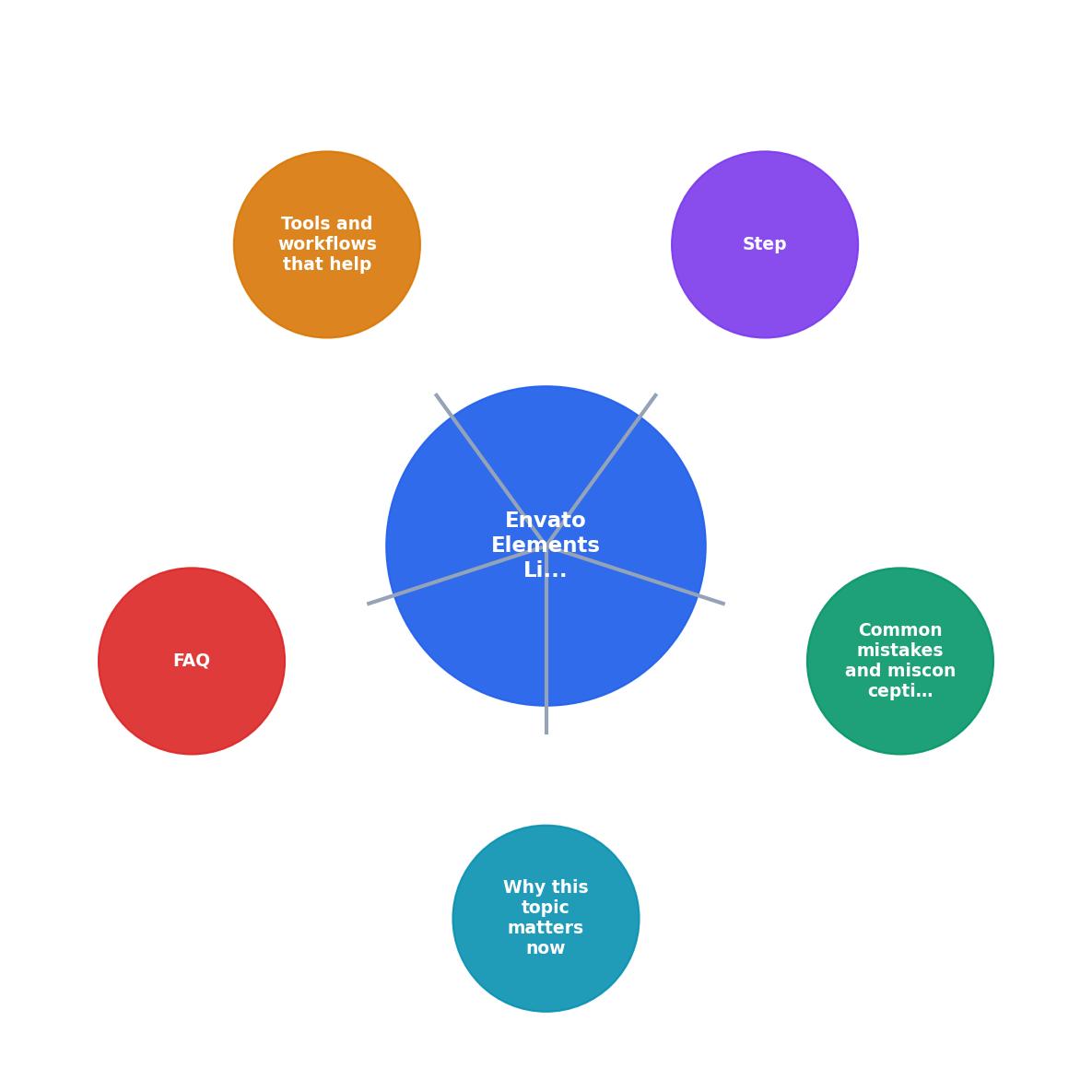
Process Overview
The workflow comes down to this: audit, retrieve, organize, document, hand off.
Each step takes time when done manually. For a single project with five assets, it's maybe 15 minutes. For a team redesign with 40 assets across three platforms, it's hours. For ongoing client work, it's recurring overhead every time you iterate or hand off a revision.
Automation Closes the Gap
Manual certificate downloads are error-prone. You miss an asset. You forget to include a certificate. Six months later, the client needs proof and you've already deleted the downloaded files. The solution is automation.
Tools that bulk-download and organize licence certificates eliminate the manual steps. Instead of clicking through Envato's UI asset by asset, you connect your account, select the project scope, and the tool retrieves all certificates, validates them, and bundles them with metadata. The certificates land in a structured folder, ready to hand off. You get an audit-ready package in minutes, not hours.
This approach also creates a permanent archive. Every project's licence records live in one place. If a client questions an asset years later, you have the proof. If you're audited, you pull the folder. If a team member asks what's licensed where, the index file answers immediately.

Interactive Handoff Risk Assessment
Understanding how licence gaps form in your workflow is the first step to preventing them. Below is an interactive dashboard showing where most handoff failures happen and how automation shifts the risk profile.
Licence Handoff Risk Zones
This dashboard reflects the risk distribution in a typical manual handoff. The yellow bars show where mistakes happen. Automation (green bar) shrinks the total exposure dramatically by removing human steps.
Team Migrations: The Bigger Challenge
A single project handoff is one thing. A full team migration is orders of magnitude harder. You're moving not one client relationship but dozens. Each project has its own licence trail. Each trail is scattered across your downloads, invoices, and project files.
A team migration without automated licence capture means:
- Days of manual downloading and organizing.
- High probability of missing certificates.
- No central inventory for the new team to trust.
- Legal liability if a migrated project uses an asset without documented proof.
Real-World Scenario
You're a freelancer who's been building brands for a mid-market client for three years. They're happy, but they've decided to hire an in-house designer. You're handing off 12 brand projects, 150+ assets, mostly from Envato Elements. The new designer arrives on Monday.
Without automation: You spend the weekend downloading certificates from Envato's UI, copying files into folders, and sending a jumbled file tree to the new designer. You miss two certificates. The designer finds them missing by Wednesday. The client is frustrated. The new designer lacks confidence in the asset library. You're fielding questions for weeks.
With automation: You run a bulk download on Friday for those 12 projects. All 150+ certificates download automatically, organize by project, validate licensing terms, and generate a master audit file. You hand off a clean archive on Monday. The new designer has full confidence and transparency. No follow-ups needed.
Building Your Handoff Checklist
Envato Elements Handoff Checklist
Your progress is saved automatically in your browser.
FAQ
Frequently Asked Questions
Final Thought
The licence gap isn't intentional on your part or the platform's. It's a gap in the system. Clients expect that handing off a project means handing off proof. They're right to expect that. Closing the gap is your responsibility. The tools exist. The process is straightforward. The cost of not doing it, lost trust, legal exposure for your client, damage to your reputation, is too high to ignore.
Start with your next handoff. Audit, retrieve, organize, and document. See how it feels. Then ask yourself whether you can afford not to do this for every project you ever hand off.
Additional Resources
- Envato Elements License FAQ - This article answers common questions about how the Envato Elements Licence applies in specific situations. It is an excellent starting ...
- What's new at Envato | AI tools, features & product updates ... - Items are automatically licensed each time you download, so you can move fast on high-volume projects without extra steps.
- ENVATO Elements Review - 2026 | STOP Wasting Money on ... - In this Envato Elements review, I'll break down what the platform offers, its key features, pros and cons, and pricing. DOWNLOAD LICENSE in ...