Best Tools for Automating Freepik Licence Downloads
You downloaded 200 Freepik assets last quarter. A client just emailed asking for licence proof on a logo you delivered five months ago. Now you are clicking through Freepik account pages one file at a time, copying PDFs into folders, and losing billable hours you will never get back. There are tools that eliminate this entire ritual, and this guide walks through the best free and paid options so you can pick the right one today.

You downloaded 200 Freepik assets last quarter. A client just emailed asking for licence proof on a logo you delivered five months ago. Now you are clicking through Freepik account pages one file at a time, copying PDFs into folders, and losing billable hours you will never get back. There are tools that eliminate this entire ritual, and this guide walks through the best free and paid options so you can pick the right one today.
Photo by Freek Wolsink from Pexels
TL;DR:- Freepik licence downloads can be automated with browser extensions, dedicated desktop tools, and SaaS platforms like Licence Downloader.
- Free options work for small volumes; paid tools add batch processing, multi-platform support, and audit-ready exports.
- Choosing the right tool depends on your download volume, number of platforms, and whether you need to share proof with clients or legal teams.
Why Automate Freepik Licences?
Freepik gives you a licence certificate for every premium download. The problem is retrieval. Certificates live inside your account's download history, and Freepik does not offer a native bulk-export button. If you use 30 assets a month, that is 30 separate page loads, 30 PDF saves, and 30 files to rename and organize. Multiply that across a year and you are looking at hundreds of manual actions.
Automation tools solve this by connecting to your Freepik account (or reading your download history) and pulling every certificate in one batch. Some tools go further: they tag files by project, match certificates to the assets they cover, and store everything in a searchable archive.
That number comes from comparing a typical 50-licence manual session (roughly 90 minutes) against the same batch run through an automated tool (under 12 minutes). The math is straightforward: automation reclaims hours every single month.
"Most people don't think about their licence certificates until something goes wrong.">, How I Downloaded Almost 1000 Freepik Licenses At Once
Top Free Tools
Free options work best when your monthly download count stays under about 50 assets and you only use Freepik (not multiple stock platforms).
Browser Extensions
Several Chrome and Firefox extensions add a "download all licences" button to your Freepik downloads page. They scrape the page, collect certificate links, and trigger sequential downloads.
- Stock Licence Grabber (Chrome) grabs individual certificate PDFs from your Freepik history. It is lightweight, free, and requires no account creation. The downside: it processes one page of results at a time, so large histories need repeated clicks.
- Download Manager extensions like DownThemAll (Firefox) can be configured with URL filters to catch only
.pdfcertificate links on Freepik pages. This is a DIY approach that takes some setup but costs nothing.
Manual Scripting
If you are comfortable with a terminal, a short Python or Node.js script using your Freepik session cookies can iterate through your download history API and save each certificate. Open-source snippets exist on GitHub. The trade-off is maintenance: Freepik updates its page structure periodically, and your script breaks until you patch it.
Free scripts tend to break within a few months when Freepik changes its frontend. Dedicated tools handle these changes with regular updates.
Top Paid Tools

Paid tools justify their cost through reliability, multi-platform support, and features that go beyond simple downloading.
Licence Downloader
Licence Downloader is built specifically for this job. It connects to Freepik (plus Shutterstock, Adobe Stock, Envato, iStock, and Canva), pulls every certificate in bulk, and organizes them by date, project, or platform. Key features:
- Batch processing across hundreds or thousands of assets in a single run.
- Multi-platform support so you manage all stock licences from one place.
- Audit-ready exports with filenames that match the original asset, making it trivial to respond to a client's legal request.
- Regular updates that track platform changes so downloads keep working.
Stock Compliance Manager Tools
Some digital asset management (DAM) platforms include licence-tracking modules. Tools like Canto or Bynder can store licence metadata alongside assets. They are not dedicated licence downloaders, but if your team already uses a DAM, the built-in compliance features might cover basic needs. The catch: they rarely automate the actual certificate retrieval from Freepik. You still download manually and then upload into the DAM.
Platform-Specific Downloaders
A handful of smaller SaaS products focus on a single platform. These can work well if Freepik is your only source, but they leave you without coverage the moment you add a second stock subscription.
Feature and Pricing Comparison
Here is how the main categories stack up against each other. This comparison reflects typical tool capabilities as of mid-2026.
| Feature | Browser Extension (Free) | DIY Script (Free) | Licence Downloader (Paid) | DAM with Compliance (Paid) |
|---|---|---|---|---|
| Batch download | Limited (page-by-page) | Yes (with coding) | Yes (one-click) | No (manual upload) |
| Multi-platform | No | Possible (complex) | Yes (6+ platforms) | Partial (metadata only) |
| Auto-updates | Rare | None (you maintain) | Regular | Regular |
| Audit-ready export | No | DIY formatting | Yes | Varies |
| Setup time | 2 minutes | 1-3 hours | 5 minutes | Days (full DAM onboarding) |
| Monthly cost | $0 | $0 | Subscription-based | $50-$500+/seat |
How Much Time Do You Actually Save?

Consider three real scenarios:
- Light user (10 assets/month): Manual download takes about 15 minutes. An automated tool does it in under 2 minutes. You save roughly 2.5 hours per year.
- Regular freelancer (50 assets/month): Manual work runs close to 90 minutes per session. Automation cuts that to about 10 minutes. Annual savings: over 16 hours.
- Heavy user (200+ assets/month): Manual retrieval is essentially a half-day task every month. Automation handles it in 15-20 minutes. You reclaim nearly 60 hours a year.
The following diagram shows the typical automated workflow from start to finish:
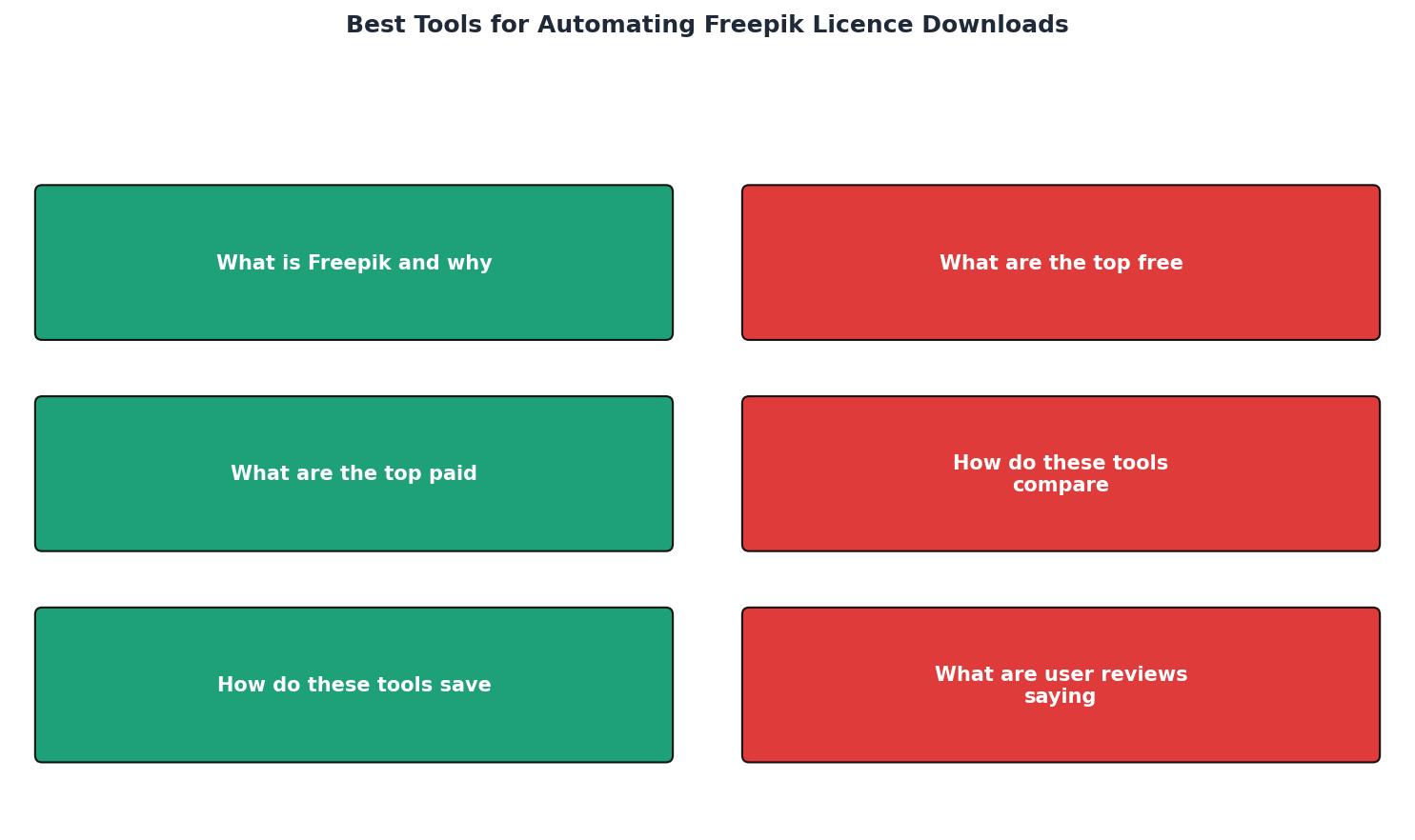
The steps are straightforward: Connect Account, Scan History, Select Assets, Download Certificates, Organize & Export. Each step runs without manual page navigation.
What Users Say
Freelance designers consistently highlight two things in reviews of licence automation tools: time savings and peace of mind. The most common complaint about free tools is breakage after platform updates. Paid tool users report higher satisfaction with reliability but occasionally mention learning curves during initial setup.
Common praise points:- "I used to dread client audit requests. Now I pull the certificate in seconds."
- "Batch mode changed everything. I run it once a month and forget about it."
- "Multi-platform support means I stopped juggling three different workflows."
- Free extensions sometimes stop working without warning.
- Some paid tools lack support for newer platforms like Canva.
- Pricing transparency varies; a few tools hide costs behind "contact sales" pages.
Freelancer Licence Automation Snapshot
Choosing the Right Freepik Licence Automation Tool
Your progress is saved automatically in your browser.
FAQ
Frequently Asked Questions
Additional Resources
- How I Downloaded Almost 1000 Freepik Licenses At Once - I've just launched Licence Downloader — a service that bulk-downloads every licence certificate from your stock photo accounts, ...
- Autopik: Bulk AI Image Generator for Freepik - Freepik Pikaso Automator is the first Chrome extension that lets you auto-feed prompts, bulk-generate images, and download outputs instantly — supercharging ...
- Freepik Software Reviews, Demo & Pricing - 2026 - Review of Freepik Software: system overview, features, price and cost information. Get free demos and compare to similar programs.
Need to Download Your Licences?
Save hours of manual work. We download all your stock photo licence certificates for you.
Get Started“Thanks to LicenceDownloader.com, I was able to download more than 1,000 Freepik licences and receive them all at once via ZIP.”
Marlon Mainardy