Bulk Download Vecteezy Licences for Agencies
In the fast-paced world of creative agencies, efficiency and compliance are paramount. Managing multiple stock licences across various projects can quickly become a logistical nightmare. Agencies need a streamlined process to bulk download Vecteezy licences, ensuring every asset is accounted for and audit-ready. This guide will walk you through accessing Vecteezy's licence tools, selecting and exporting licences in bulk, and organizing them to optimize your workflow.

In the fast-paced world of creative agencies, efficiency and compliance are paramount. Managing multiple stock licences across various projects can quickly become a logistical nightmare. Agencies need a streamlined process to bulk download Vecteezy licences, ensuring every asset is accounted for and audit-ready. This guide will walk you through accessing Vecteezy's licence tools, selecting and exporting licences in bulk, and organizing them to optimize your workflow.
Photo by Mikael Blomkvist from Pexels
TL;DR
- Access Vecteezy's licence management tools to select and export multiple licences in bulk.
- Organize these documents to streamline agency workflows and ensure compliance.
- Integrate with agency management software for seamless licence management.
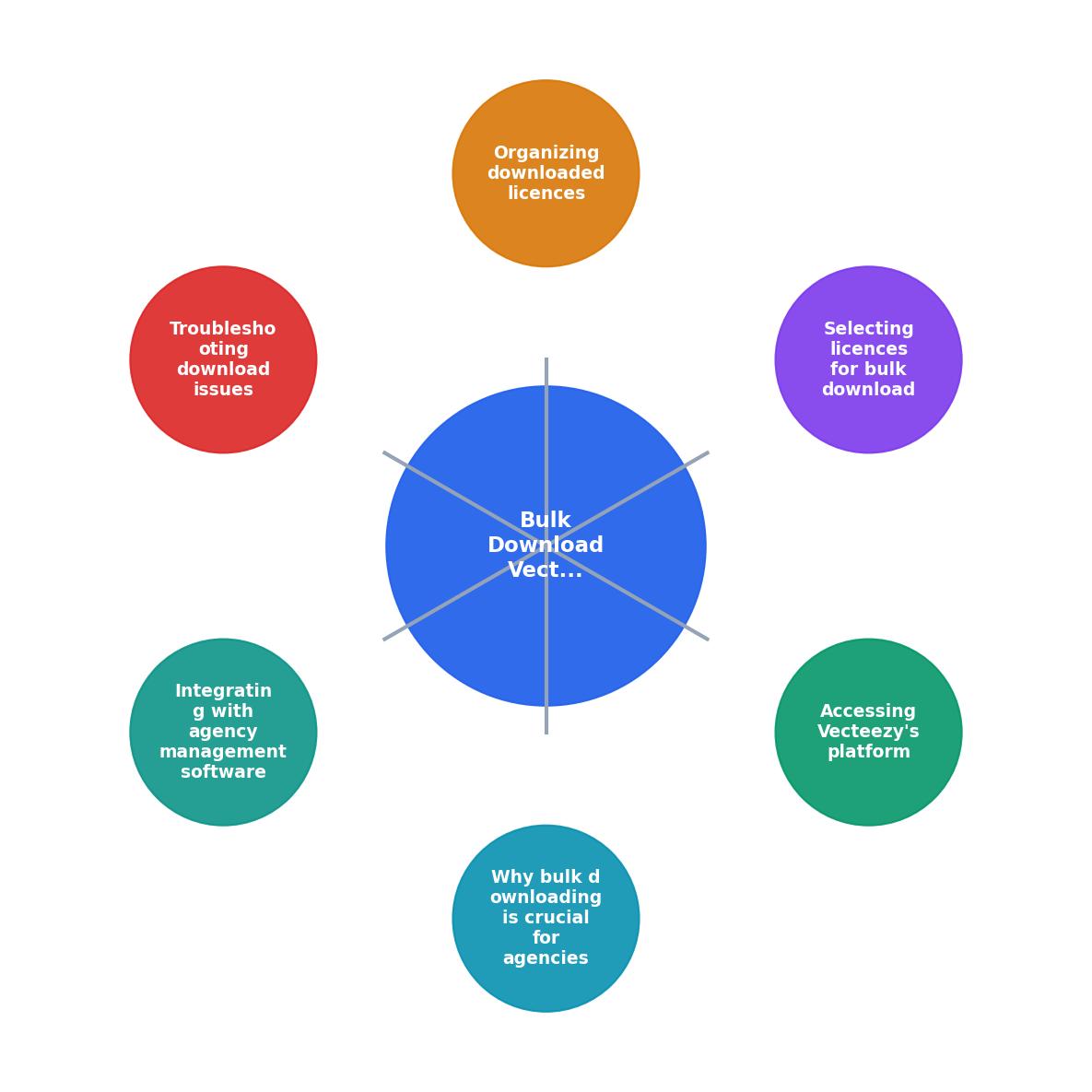
Why Bulk Downloading is Crucial for Agencies

For agencies, managing licences isn't just about convenience, it's about compliance and operational efficiency. With numerous projects running simultaneously and various team members accessing stock images, having a centralized licence management system is essential. Bulk downloading licences ensures that all necessary documentation is readily available, reducing the risk of copyright claims and legal issues.
Agencies often deal with hundreds of assets monthly, making manual licence management untenable. Bulk downloading streamlines this process, allowing agencies to maintain an audit-ready archive and respond swiftly to client or legal requests. This not only de-risks the agency but also scales content output without increasing legal exposure.
Moreover, as agencies grow and take on more clients, the complexity of managing licences increases. Proper licence management ensures that agencies can quickly track which assets were used in specific projects, making it easier to verify compliance with client contracts and intellectual property laws. This process minimizes the risk of financial penalties and reputational damage that can arise from unauthorized asset use.
Accessing Vecteezy's Platform
Before you can bulk download licences, you need to access Vecteezy's platform. Here's how:
- Log in to your Vecteezy account. Navigate to the login page and enter your credentials. Ensure that you have administrative access if you're managing licences for an entire agency.
- Access the licence management tools. Once logged in, go to the account dashboard where you can manage licences. This dashboard is the hub for all your licence-related activities, providing easy access to your history and current downloads.
- Navigate to the 'Licence History' section. Here, you will find a list of all the licences associated with your account. This section allows you to sort and filter licences based on various criteria, facilitating easy navigation and management.
Selecting Licences for Bulk Download

Selecting the right licences for bulk download is crucial. Here's a step-by-step guide:
- Use filters to narrow down your list. Vecteezy allows you to filter by date, project, or asset type. This feature is particularly useful when managing a large volume of licences, as it helps isolate the specific documents you need.
- Select the licences you need. You can manually select them or use a 'select all' option if applicable. This flexibility allows you to customize your download according to current project requirements.
- Initiate the download process. Once selected, click on the 'Download' button to export the licences. Depending on your browser and download settings, the files may be compressed into a ZIP file for easier transfer.
These steps will help you efficiently manage and download the necessary licences. Ensuring that all relevant team members are familiar with these steps can streamline the process and reduce the likelihood of errors or omissions.
Organizing Downloaded Licences
Once you've downloaded the licences, organizing them is the next critical step. Here are some best practices:
- Create a centralized archive. Store all licences in a single, accessible location. Use cloud storage solutions like Google Drive or Dropbox for easy sharing and backup. This not only prevents loss of data but also facilitates collaboration among team members who may need access to the same documents.
- Categorize by project and date. This makes it easy to retrieve specific licences when needed. By organizing licences in this manner, you can quickly address any queries or disputes regarding asset usage.
- Regularly update your archive. Ensure new licences are added promptly to maintain completeness. Set a regular schedule for audits to verify that all relevant licences are accounted for.
Troubleshooting Download Issues

Occasionally, you might encounter issues while downloading licences. Here's how to troubleshoot common problems:
- Check your internet connection. A stable connection is necessary for downloading files. If you're experiencing repeated interruptions, consider switching to a wired connection or troubleshooting your network settings.
- Ensure you have the right permissions. Verify that your account has the necessary access rights to download licences. If you're managing licences for an agency, ensure that your role includes administrative privileges.
- Contact Vecteezy support if issues persist. They can provide assistance with any platform-specific problems. Having direct contact with support can help resolve issues more efficiently and prevent workflow disruptions.
Integrating with Agency Management Software
To further streamline licence management, consider integrating your downloaded licences with agency management software. Tools like Asana, Trello, or Monday.com can help you track and manage licences alongside project timelines and deliverables. This integration ensures that licences are not only stored but also actively managed within the agency's workflow.
By integrating licences into project management tools, agencies can automate reminders for licence renewals, track which licences are associated with specific projects, and ensure that all team members have access to the necessary documentation. This holistic approach not only saves time but also enhances compliance and accountability across the organization.
Steps to Bulk Download and Organize Vecteezy Licences
Your progress is saved automatically in your browser.
FAQ
Frequently Asked Questions
For agencies managing countless assets, having a robust licence management system is essential. By following these steps and integrating with your existing workflows, you can ensure your agency operates smoothly and remains compliant. What strategies has your agency implemented to manage stock licences effectively? Share your insights in the comments below.
Additional Resources
- Licensing & Legal Information - Vecteezy offers Free License rights with all free content (except Editorial Use Only) that is downloaded from our site. These license rights are perfect for sma ...
- What types of licenses does Vecteezy offer? - Vecteezy offers a number of licenses, some of which are specific to image types: Free License (Vector, Video and Photo).
- Team Plans compared to Pro Standard Plans - Vecteezy does offer an “unlimited downloads” subscription, but that is specifically designed for individual users, not business/team accounts.
Need to Download Your Licences?
Save hours of manual work. We download all your stock photo licence certificates for you.
Get Started“Thanks to LicenceDownloader.com, I was able to download more than 1,000 Freepik licences and receive them all at once via ZIP.”
Marlon Mainardy