Licence proof playbook #1: Copytrack response pack
You open your inbox on a Tuesday morning and find an email from Copytrack claiming you used a copyrighted image without permission. Your stomach drops. The image in question is one you licensed months ago from a stock platform, but now you need to prove it. This playbook walks you through building a complete Copytrack response pack so you can shut down the claim fast and get back to actual work.

You open your inbox on a Tuesday morning and find an email from Copytrack claiming you used a copyrighted image without permission. Your stomach drops. The image in question is one you licensed months ago from a stock platform, but now you need to prove it. This playbook walks you through building a complete Copytrack response pack so you can shut down the claim fast and get back to actual work.
Photo by Nataliya Vaitkevich from Pexels
TL;DR:- A Copytrack claim does not mean you did anything wrong. It means you need to produce licence proof quickly.
- Your response pack should include the original licence certificate, transaction receipt, platform download history, and a brief written statement.
- Gathering these documents before a claim arrives saves hours of panic. Tools like Licence Downloader let you bulk-export certificates so they are ready when you need them.
Why Copytrack claims hit freelancers hardest
Copytrack is an automated copyright enforcement service. Photographers and agencies upload images, Copytrack's crawler finds matches across the web, and demand letters go out. The system does not check whether you hold a valid licence. It fires first and asks questions later.
For freelance designers juggling multiple stock subscriptions, this creates a specific problem. You bought the image on Freepik six months ago for a client's landing page. The project is done. The Freepik dashboard has been updated twice since then. Finding that one licence certificate feels like searching for a receipt in a landfill.
The good news: most Copytrack claims disappear once you send valid proof. The bad news: if you cannot produce that proof within their deadline, settlement demands escalate.
"The reviews have been below 2/5, with the majority of complaints.">, How to Response When You Receive the Email From COPYTRACK
That frustration is real. Copytrack's process feels aggressive, and their communication leaves people confused. But confusion is not a defence. Documentation is.

Common mistakes that make things worse
Ignoring the email. Copytrack sets deadlines. Silence gets interpreted as admission. Even if the claim is baseless, you need to respond.
Paying the settlement immediately. Some designers panic and pay hundreds of euros for an image they legitimately licensed. Do not pay before checking your records. A valid licence is a complete defence.
Sending a vague reply. Writing "I bought this image" without attaching proof accomplishes nothing. Copytrack needs documents, not assertions.
Deleting the image from your site. Removing the image looks like an admission of guilt. If you hold a valid licence, keep the image live and respond with proof.
Here is what actually works: a structured response pack with every document Copytrack needs to close the case.
What goes into a response pack

Your Copytrack response pack is a single folder (PDF or ZIP) containing five items:
- Licence certificate from the stock platform (Freepik, Shutterstock, Adobe Stock, Envato, iStock, or wherever you purchased the image). This is the core document. It ties the specific image file to your account and licence type.
- Transaction receipt or invoice showing the purchase date, amount paid, and your account email. PayPal confirmations or credit card statements work as backup.
- Platform download history screenshot showing the image in your download log with a timestamp. Most platforms keep this under "Download History" or "My Downloads."
- Usage context screenshot showing where and how you used the image (the client's website, social post, or print file). This proves the usage falls within the licence scope.
- A brief written statement (3-5 sentences) identifying yourself, confirming you hold a valid licence, listing the attached documents, and requesting the claim be withdrawn.
Step-by-step: building the pack
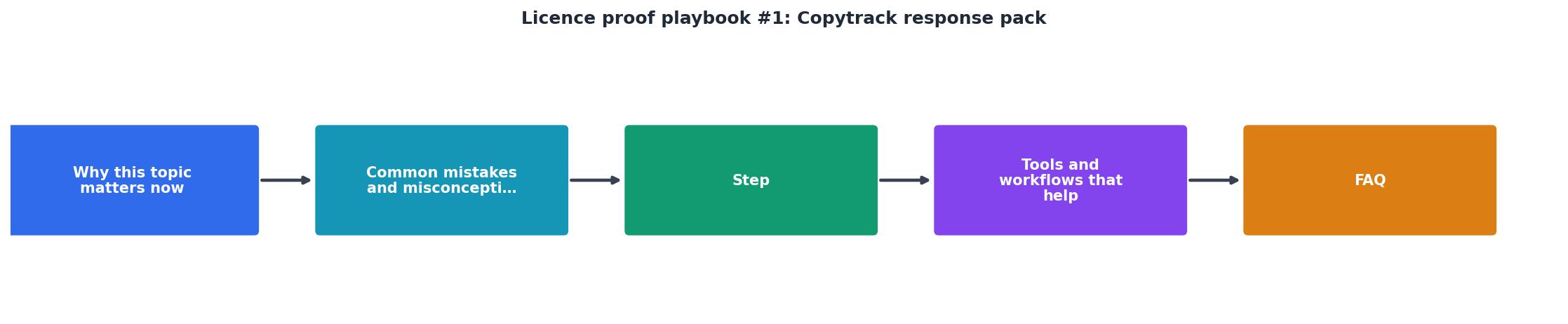
Follow these steps in order. The whole process takes 20-45 minutes if your files are scattered, or under 5 minutes if you pre-organized your licence archive.
Step 1: Identify the image. Open the Copytrack email. Find the image URL or thumbnail they reference. Match it to the stock image you purchased. Note the platform and approximate purchase date.
Step 2: Pull the licence certificate. Log into the stock platform. Navigate to your download history. Locate the image and download the licence certificate PDF. On Freepik, this is under "My Downloads." On Shutterstock, check "Download History" and click the licence icon. On Adobe Stock, go to "Licensing History."
If you use multiple platforms and cannot remember which one, a tool like Licence Downloader can bulk-export certificates across platforms so you do not have to check each dashboard individually.
Step 3: Grab the receipt. Find the transaction in your email (search for the platform name + "receipt" or "invoice" around the purchase date). Save it as a PDF.
Step 4: Screenshot your download history. Take a full-page screenshot of the platform's download log showing the image, date, and your account name visible. Use your browser's built-in screenshot tool or a tool like Greenshot.
Step 5: Screenshot the usage. Capture the webpage, social post, or file where the image appears. If it was used in a client deliverable, screenshot the relevant page or slide.
Step 6: Write the statement. Keep it factual and short:
"I am [Your Name], a freelance designer operating under [Business Name]. The image referenced in claim [Claim Number] was licensed through [Platform Name] on [Date] under licence type [Standard/Extended]. Attached are the licence certificate, purchase receipt, download history, and usage context. I request this claim be withdrawn immediately."
Step 7: Package and send. Combine all five items into a single PDF or ZIP file. Reply to Copytrack's email with the pack attached. Keep a copy for your records.
Pre-building your archive

The best time to build a response pack is before you need one. Here is a simple workflow:
- Weekly habit: Every Friday, spend 5 minutes downloading licence certificates for any stock images you purchased that week. Drop them into a folder named by client or project.
- Naming convention: Use
[Platform]-[ImageID]-[Date].pdffor each certificate. Example:Freepik-28374651-2026-08-01.pdf. This makes searching instant. - Bulk export: If you have months or years of unlicensed downloads sitting in various platform accounts, use a bulk download tool to catch up. Doing this manually across Freepik, Shutterstock, and Adobe Stock could take an entire afternoon. Automated tools cut that to minutes.
The following interactive card shows what a typical freelancer's response pack folder structure looks like when properly organized:
Copytrack Response Pack
Example folder for claim #CT-2026-48291
What if you cannot find the licence?
Sometimes the licence genuinely does not exist. You used a free image from a site that turned out to have stolen content. Or a previous team member downloaded something without a proper licence. In those cases:
- Do not fabricate documents. That turns a civil matter into fraud.
- Check if the image was from a free source. Unsplash, Pexels, and Pixabay images are free to use. If the image originated there, provide the source URL and the platform's licence terms.
- Negotiate. Copytrack's initial demand is often inflated. If you genuinely used an unlicensed image by mistake, you can negotiate a lower settlement. Respond politely, explain the situation, and propose a reasonable amount.
- Consult a lawyer if the amount exceeds a few hundred euros. For claims under 500 EUR, legal fees may exceed the settlement. For larger claims, professional advice is worth the cost.
| You have a valid licence | You do not have a licence |
|---|---|
| Send the 5-document response pack | Do not ignore the claim |
| Claim typically closed in 7-14 days | Check if image was from a free platform |
| No payment required | Negotiate a fair settlement |
| Keep the image live on your site | Remove the image to limit damages |
| Save the pack for future reference | Document the resolution for your records |
Copytrack Response Pack Checklist
Your progress is saved automatically in your browser.
FAQ
Frequently Asked Questions
Additional Resources
- How to Response When You Receive the Email ... - Received a legal threat from Copytrack? Here's how I responded—and what you should know about copyright claims and your next steps.
- COPYTRACK: Scam or Legitimate? German Lawyer Explains - Copytrack demands proof of a valid license for the image. On one hand, it is certainly true that you should comply with this request. However, this should only ...
- Copyright Infringement Notice Email from Copytrack - If you have a valid license or … please reply to this email and include proof of license purchase and/or any other necessary information to validate the usage.
Need to Download Your Licences?
Save hours of manual work. We download all your stock photo licence certificates for you.
Get Started“Thanks to LicenceDownloader.com, I was able to download more than 1,000 Freepik licences and receive them all at once via ZIP.”
Marlon Mainardy