Licence proof playbook #12: E-commerce asset proof kit
Running an e-commerce store means using stock images constantly, for product listings, social media ads, email campaigns, and website design. But every image you use comes with legal obligations, and proving you have the right to use them can save you from costly takedowns, platform suspensions, or copyright claims. This playbook walks you through building a complete licence proof system for your e-commerce operation, so you can keep detailed records of every asset, respond to compliance requests instantly, and protect your business from legal exposure.

Running an e-commerce store means using stock images constantly, for product listings, social media ads, email campaigns, and website design. But every image you use comes with legal obligations, and proving you have the right to use them can save you from costly takedowns, platform suspensions, or copyright claims. This playbook walks you through building a complete licence proof system for your e-commerce operation, so you can keep detailed records of every asset, respond to compliance requests instantly, and protect your business from legal exposure.
Photo by Felicity Tai from Pexels
TL;DR:- Set up a centralized licence archive where all your stock image proof lives in one place, backed up and organized by platform and date
- Document licence type, permitted use rights, and expiration dates for every image in your store or marketing materials
- Automate bulk downloads from platforms like Canva, Freepik, Shutterstock, and Adobe Stock instead of hunting certificates manually
- Create an audit trail by tagging assets with their corresponding product listings or campaigns so you can respond to legal requests in minutes, not days
Why this matters now
E-commerce platforms and ad networks are stricter than ever about copyright compliance. Shopify, Amazon, Etsy, Meta, and Google have automated systems that flag potentially unlicensed images. A single false strike can disable your store, pause your ad account, or force you to remove inventory. Meanwhile, copyright troll operations have grown, bad actors who buy images cheap and then send cease-and-desist letters to anyone using them commercially without proper proof.
The difference between a scare and a catastrophe is having your licence proof ready the moment a platform sends a compliance notice. Most store owners have no idea where their image licences live or how to prove they own the right to use an asset.
That's where a formal licence proof kit comes in. It's not just about legal safety, it's about running a professional operation that looks trustworthy to partners, payment processors, and customers.
Common mistakes and misconceptions
Thinking free or cheap platforms mean unlimited use. Canva Pro, Freepik's free tier, and budget stock sites often have strict commercial-use restrictions. Buying a cheap licence doesn't always include rights for e-commerce resale, print-on-demand variations, or white-label use. You're only protected if you've read and can prove you understand the terms.
Storing licences in scattered places. Email receipts, platform account pages, downloaded PDFs on your desktop, this chaos means you'll never find proof when you need it. By the time you're scrambling through old emails during a compliance crisis, it's too late.
Assuming a purchase receipt equals a licence certificate. A Shopify order confirmation or a Freepik transaction email is not the same as a legal licence document. Platforms often bury the actual licence terms in account settings or separate downloads.
Not documenting where each image is used. You downloaded a stock photo for a campaign that ended six months ago, but now you're running it again in a different country where the licence terms might differ. Without tracking which assets are in which products or ads, you can't answer compliance questions accurately.
Ignoring platform-specific rules. Adobe Stock, Shutterstock, Canva, Depositphotos, and Envato each have different licence rules, expiration rules, and proof formats. A one-size-fits-all approach fails because each platform's proof looks and works differently.
Step-by-step approach

Audit your current library
Start by listing every stock image platform you use or have used. For each one:
- Log in and check your purchase/download history
- Note which images are currently in use (product listings, ads, website)
- Note which images were used in past campaigns but are archived
- Find where licence certificates live on each platform (often under "Downloads", "Licenses", or "My Purchases")
- Screenshot or download a sample licence from each platform so you know what proof looks like
Build a central licence registry
Create a single document (spreadsheet or database) where every image gets one row. Include these columns:
- Image ID or name – How you identify the asset (filename, product code, campaign ID)
- Platform – Where you bought/downloaded it (Freepik, Canva Pro, Adobe Stock, etc.)
- Licence type – Standard, commercial, extended, print, digital, etc.
- Download date – When you acquired the right to use it
- Expiration date – When the licence expires (if applicable; subscriptions are different)
- Permitted uses – Commercial, social media, print, e-commerce resale, modifications allowed (yes/no)
- Proof file location – Where the certificate is stored (cloud folder link, path)
- Currently in use – Yes/No, and if yes, where (product ID, campaign name, ad account)
- Notes – Restrictions, multi-country rules, or special terms
Download and centralize proof documents

For each image in your registry, fetch the official licence document from the platform and store it in a cloud folder (Google Drive, Dropbox, OneDrive) organized by platform and date.
For Canva Pro users: Log in, go to "Downloads", find each design you've published, click "License info", and save the PDF.
For Freepik users: Visit your account, go to "Licenses", filter by date range, and download all licence PDFs at once if the platform allows bulk export.
For Adobe Stock users: Navigate to "My Library", select images, and use "Export License Document" if available.
For Shutterstock users: Go to your download history, find each image, and pull the metadata which includes the licence type and permitted uses.
For Envato Elements users: Download licence documents from your "My Licenses" page.
For Depositphotos users: Access purchase history and save the transaction confirmation which doubles as a licence proof.
The key: one central folder, named clearly (e.g., "Brand-Stock-Licences-2026"), with subfolders for each platform. Name each file so you can search it later: Freepik_LicenceDoc_ProductImage_2026-02-15.pdf.
Map assets to products and campaigns
For every image in use, create a link between the asset and where it appears. If an image is used in a product listing on your store, note the product ID. If it's in a Facebook ad, note the ad account and campaign name. If it's on your website homepage, note the page.
This matters because if a platform sends a compliance notice about a specific image, you need to know instantly:- Which products need to be updated
- Which ads are affected
- Whether you're in breach or protected by your licence
Establish expiration monitoring
Some licences don't expire (perpetual), but subscriptions do. Canva Pro expires monthly if you stop paying. Adobe Stock subscriptions end unless renewed. Set a monthly calendar reminder to:
- Check which subscriptions renew automatically
- Verify which are still active
- Flag any expired licences in your registry
- Decide whether to renew or remove images that are no longer licensed
Create an audit response template
When a platform or lawyer asks for licence proof, you'll need to respond fast. Create a template response document:
We confirm that [image name/ID] used in [product/campaign] is properly licensed under a [licence type] agreement with [platform] dated [date]. Proof of licence is attached. The image is permitted for [specific uses] and complies with all terms of service.
Include your registry excerpt, the licence document, and a cover letter. Having this pre-written cuts response time from hours to minutes.
Tools and workflows that help
"The latest trends across every area of ecommerce: payments, D2C, B2B, marketing, shipping, and more.">, Download The Ecommerce Playbook 2025
Automate bulk downloads with Licence Downloader
Instead of logging into five different platforms and hunting for certificates one by one, use a tool that pulls all your licences at scale. Licence Downloader connects to your stock accounts (Freepik, Shutterstock, Adobe Stock, Canva, Envato, iStock, Depositphotos, and others) and downloads all licence documents in bulk, organizing them by platform and date.
This transforms a 3-hour manual task into a 10-minute automated export. You get a clean folder structure, timestamps, and searchable file names, ready to drop into your registry.
Use cloud storage with version control
Store your licence registry and all proof documents in a shared cloud folder (Google Drive or Dropbox). Enable version history so you can see when each document was added or updated. Share read-only access with your legal advisor or accountant so they can audit your compliance status anytime.
Never store originals on your laptop. Cloud redundancy means if your computer fails, your proof is still there.
Tag images in your e-commerce platform
Most e-commerce platforms (Shopify, WooCommerce, BigCommerce) let you add custom fields or tags to product images. Add a tag like licensed_freepik_20260215 so you can filter by licence status. This creates a direct link between your product listing and your registry.
Set up monthly compliance checks
Create a recurring calendar event. Each month, spend 30 minutes:- Confirming subscriptions are still active
- Checking your registry for expired or expiring licences
- Flagging any images that need replacement
- Testing your audit response template by running a mock scenario
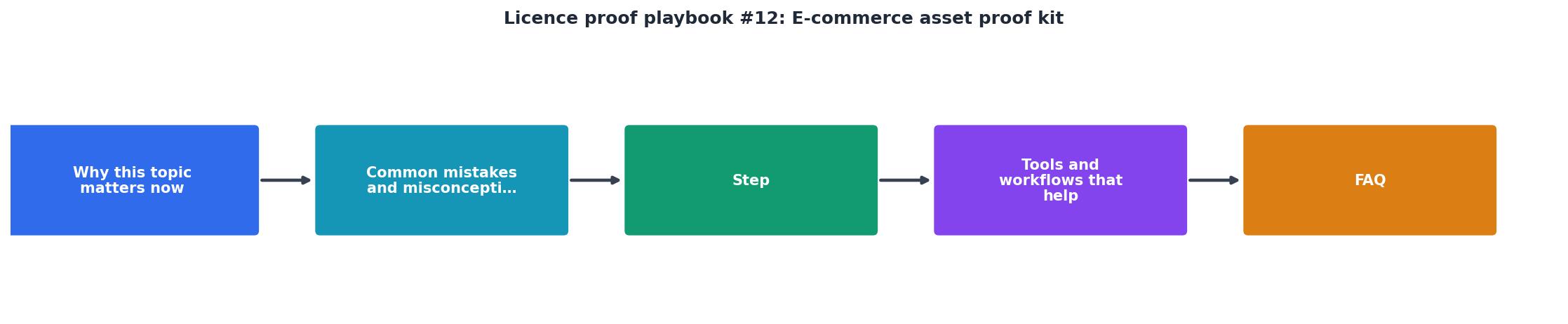
Building your e-commerce asset dashboard
The strongest e-commerce operations have a clear, at-a-glance view of their licence status. Below is an example dashboard layout you can adapt for your store. This visualization helps you quickly see which images are licensed, which need attention, and where gaps exist in your coverage.
This dashboard shows you at a glance which platforms are active, which need renewal, and your overall coverage rate. When you do your monthly compliance check, you can update these numbers to track compliance drift over time.
Security and storage best practices
Your licence registry and proof documents are sensitive. They show exactly which images you use and where they're licensed. Treat them like financial records.
Use password-protected folders. If storing in cloud storage, enable two-factor authentication on your account and consider encrypting the folder.
Limit access. Only share read-only access with people who need it (accountant, legal advisor, compliance officer). Never give edit rights to contractors or temporary team members.
Back up offline. Once a year, download a copy of your entire registry and proof folder, burn it to an external drive, and store it securely offsite. This protects you if your cloud account is ever compromised.
Timestamp everything. Use cloud storage's native versioning or name files with download dates. This proves when you obtained each licence.
Document subscriptions separately. Keep a separate list of active subscriptions (Canva Pro, Adobe Stock, etc.) with renewal dates. This is your early-warning system for licence gaps.

E-Commerce Licence Proof Kit Checklist
Your progress is saved automatically in your browser.
FAQ
Frequently Asked Questions
Building and maintaining a licence proof kit takes discipline, but it's the difference between running a protected e-commerce operation and gambling with your business. The moment a platform sends a compliance notice or a lawyer asks for proof, having your registry and documents ready means you answer in hours instead of panicking for weeks. Start small, set up your registry this week, and add to it every time you use a new image. Within a month, you'll have a system that works.
Additional Resources
- The E Commerce Playbook - From Set Up to Scale - Lisa Churakos, of Work B Digital will discuss best practices for success, E-Commerce platforms & drop shipping, getting paid and the cost of ...
- Download The Ecommerce Playbook 2025 - Get over 200 ecommerce tips from more than 40 experts to increase sales, build loyalty, and improve your business. Download the free Ecommerce Playbook now.
- Your Step-by-Step Online Business Business Starter Kit - Our free, step-by-step guide will help you start your business today. various applications for licenses and permits you may need to run your business.
Need to Download Your Licences?
Save hours of manual work. We download all your stock photo licence certificates for you.
Get Started“Thanks to LicenceDownloader.com, I was able to download more than 1,000 Freepik licences and receive them all at once via ZIP.”
Marlon Mainardy